
Registry Data you can trust: 45% data quality uplift with CompanyData.com. Get a Data Sample

B2B Data Appending

Send us the list you already have. You get the same rows back with the missing columns filled in: business emails, phone numbers, websites and company data, matched to the right company first.

Talk to a Data Expert
45M+
Companies with a website on record
377M+
Companies to match against
190+
Countries
Trusted byHEINEKENdysonPHILIPS

The definition

What is data appending?

Data appending is adding missing columns to a list you already hold. Each row is matched against a trusted outside source, and what the source knows about that company is written into new columns next to yours.

It is the fix for lists that are almost good enough: an export from an old CRM, an event list, a list of customers without phone numbers, a supplier file without websites. B2B data appending works on business records, so the columns are company details, not consumer profiles.

Nothing you send is overwritten. You keep your rows, your IDs and your own notes, and you can see at a glance what was added.

CompanyCity+ Website+ Phone+ Email
Heineken N.V.Amsterdamheineken.com+31 20 523 9239info@heineken.com
Siemens AGMunichsiemens.com+49 89 636 00contact@siemens.com
Ikea LimitedLondonikea.com/gb+44 20 3645 0000not found

Illustration of an appended file. Your columns stay as they are; new ones are added on the right, and a cell stays empty when nothing verified is found.

What we append

Email, phone, website and company appends

Pick the columns you are missing. Each append type is quoted and delivered on its own, so you only pay for what your list needs.

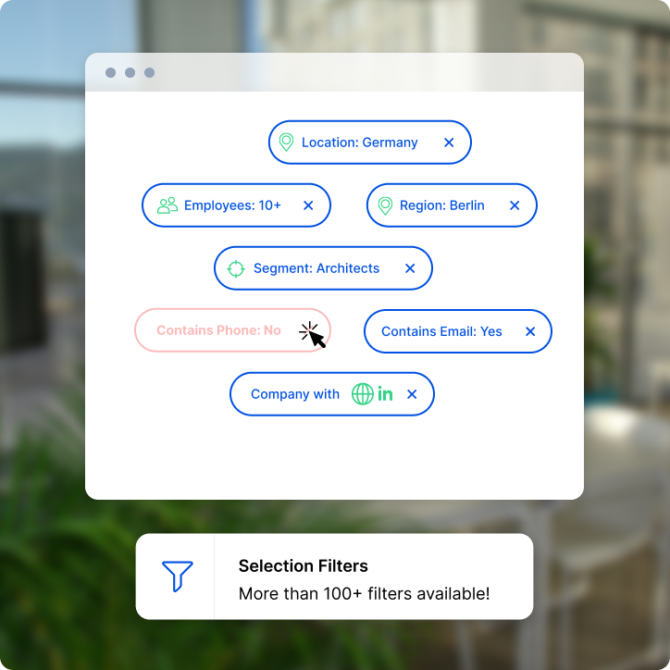
Once the columns are there, the list segments and filters like any other: by country, region, industry, size, or whether a row has an email or a phone number.

Filters on an appended list: location, employees, region, segment, email and phone

Email appending

Business email addresses for the companies on your list. General company addresses everywhere; named contact emails in markets where they can be sourced lawfully.

Phone appending

Main business numbers, and mobile numbers where available, checked for format and country code so they dial.

Website appending

The company's own domain, from the 45M+ companies with a website on record. The key to any web-based enrichment that follows.

Firmographic appending

Industry codes, employee counts, revenue and legal form, for segments and lead scoring.

Address and ID appending

Registered address, registration number and VAT number, straight from the trade register.

People appending

Directors and officers as registered, for the company records where the register publishes them.

Lead Forensics
10 million
European SMEs with a website appended
15
Countries in one feed
60%
Higher website coverage

Customer story

Lead Forensics: websites appended to 10 million companies

Lead Forensics turns anonymous website visits into company names for B2B sales teams. That only works when the company records behind it carry the right website, and GDPR-proof sources with good website coverage are hard to find.

We appended verified website URLs to a custom selection of 10 million small and mid-sized companies in 15 European countries, delivered as JSON and refreshed every month. Their website coverage rose by 60%.

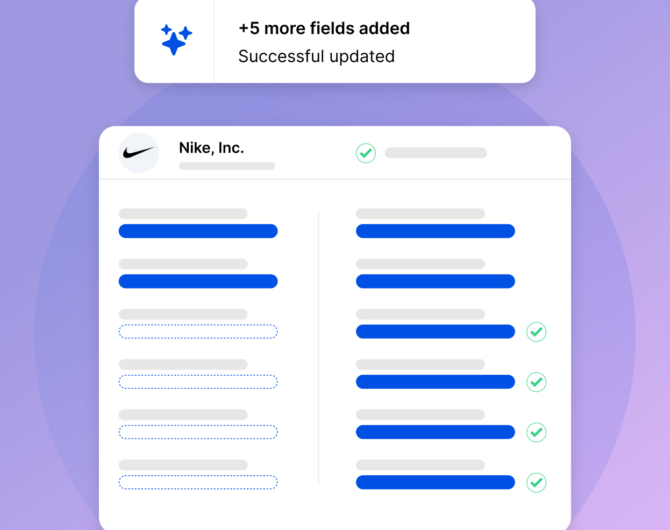
A record with five appended fields marked as updated

Reading the result

Match rate and fill rate are not the same

Every appending service quotes a match rate. It tells you how many rows were linked to a company. It does not tell you how many emails or phone numbers you got.

Match rate

Rows linked to the right company. Driven by what your list holds: a country and an address help, a name alone does not.

Fill rate per column

Matched rows where the column you asked for was found. This is the number you are paying for.

Verified, not guessed

A cell we cannot fill from a verified source stays empty. No pattern-guessed emails, no made-up numbers.

The free audit reports both, per column, on a sample of your own list. You see the result before you pay for anything.

How it works

From your list to an appended file

1

Send a sample

Upload part of your list through a secure link and tell us which columns you are missing.

2

Free append audit

We match the sample and report the match rate and the fill rate per column, with a quote.

3

We append the list

Every row is matched to its company and the chosen columns are added from verified sources.

4

Get your file back

The same rows in Excel or CSV, your columns untouched, the new ones on the right.

What to send: Excel or CSV, at least a company name and a country per row, 5,000 rows or more. Addresses, websites, registration numbers and your own IDs raise the match rate. Appending one record at a time, in a form or a CRM? Use the Company Enrichment API instead.

Sources and compliance

Appended from verified sources, under a DPA

The match runs against official trade registers, government agencies and chambers of commerce in 190+ countries. Contact columns come from the register where it publishes them, and from verified business sources where it does not.

  • ✓Business data, not consumer profiles
  • ✓No scraped personal profiles, no guessed email patterns
  • ✓Processed under a data processing agreement
  • ✓Every appended file states its source and date
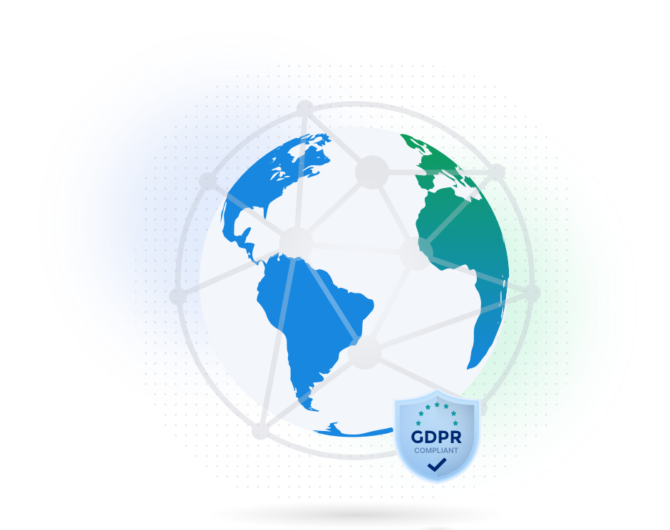
Verified sources connected across countries

Which one do you need?

Data appending, enrichment or cleansing

The three words get mixed up. In short:

Data appending

Add missing columns to a list. A file goes in, the same file comes back wider. This page.

Data enrichment

Complete and correct records, usually in a CRM, and keep them current as companies change.

See data enrichment →

Data cleansing

Fix what is there: duplicates, typos, outdated addresses, inconsistent formats.

See data cleansing →

Comparing providers? See the best data enrichment tools and companies.

Data appending FAQs

Data appending is adding missing columns to a list you already hold, by matching each row against a trusted outside source. A list of company names and cities comes back with business emails, phone numbers, websites and company data filled in. The rows and your own fields stay as they were.

Trusted by teams that depend on accurate data

Real feedback from the people using CompanyData.com every day.

9/10 on Kiyoh from verified reviews

★★★★★

Account team are very responsive and data is very helpful. We've been dealing with Bolddata for a few years and have found them to be a very efficient team who are able to quickly provide good data.

Ann Sofie Westlake
Ann Sofie Westlake
Head of Marketing, Quartix
★★★★★

Extremely reliable, high quality service, and very competitive prices. Excellent! The very best firm we've ever worked with.

Helmut Huberti, M.D.
World Arthrosis Org., Heidelberg
★★★★★

Quality data, fast and efficient service.

Jérôme Pinneau
Jérôme Pinneau
Finquest, Luxembourg

See which columns we can fill on your list

Free audit of a sample: match rate and fill rate per column, and a quote for the full list. No commitment.

Talk to a Data Expert
Call us: +31 (0)20 705 2360